Grow log · a kitchen-garden tool
noted
A note-taking app for students that lives entirely in the browser. I use it in my own lectures, so most features began as something that went awkwardly in class.
- requests typed
- 36
- commits
- 38
- days with work
- 10
- first to last prompt
- 18 Oct – 13 Nov
18 Oct31 Oct13 Nov
10 a day at most
The seed
18 October 2026, the first prompt
/plan I want a front-end only application that facilitates students in different note-taking methods for lectures, mainly the ones in this article: [a university study-skills page]
Students can choose the note-taking method they like and the application presents an interface that helps them struturing their notes. Some methods require some setup, others already have a good default setup. Notes are only stored locally on their computer and can be organized and exported as markdown and pdf. Empty note templates can also be exported to PDF so students can print them and fill them out by hand.
Plan mode, one study-skills article, and a firm rule: the notes stay on the student's computer.
How it grew
-
18 October
Five methods, one evening
Cornell, outline, mind map, charting and sentence notes, then straight away: fewer words.
The interface is entirely too verbose. Make it les wordy. Hide explanations behind mouse-over.
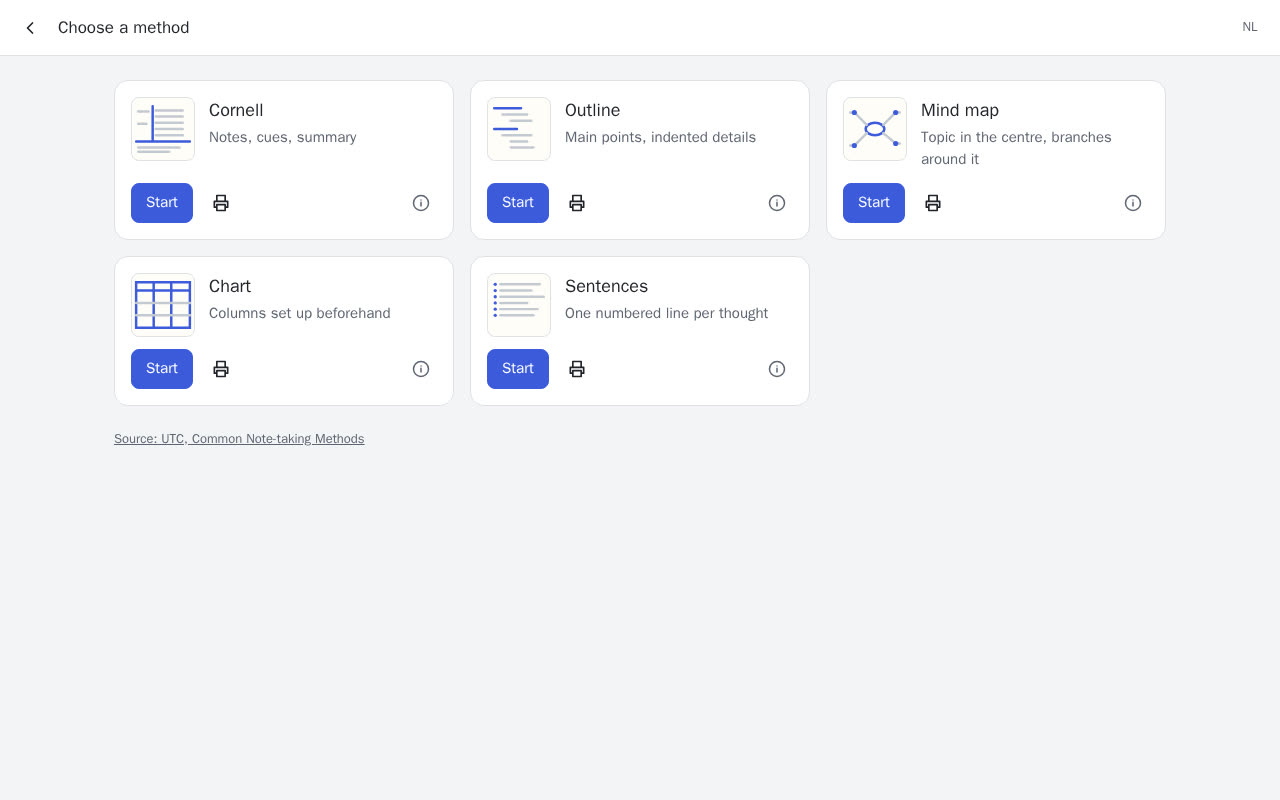
The first evening: five note-taking methods 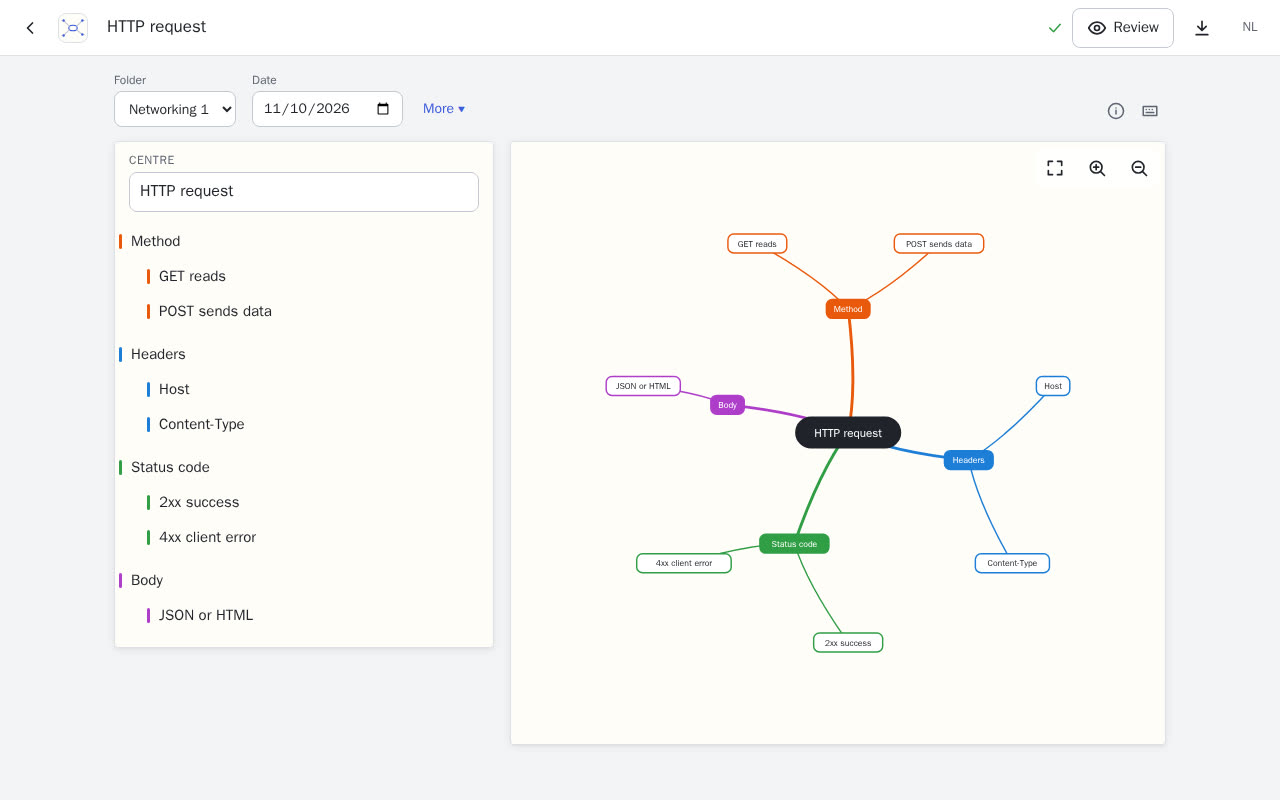
The mind map method -
18–20 October
Word hunt
A teacher shares words to listen for; a student's notes light up when they catch one. Then the obvious cheat, and a time lock against it.
As a teacher I want to "gamify" note-taking. Before a lecture I supply a list of words and phrases that students might pick up during a lecture.
the special effects are too subtle. Make them more pronounced and add some more.
Students can now simply copy paste the prompt and get all the words. What would be a good way to prevent this?
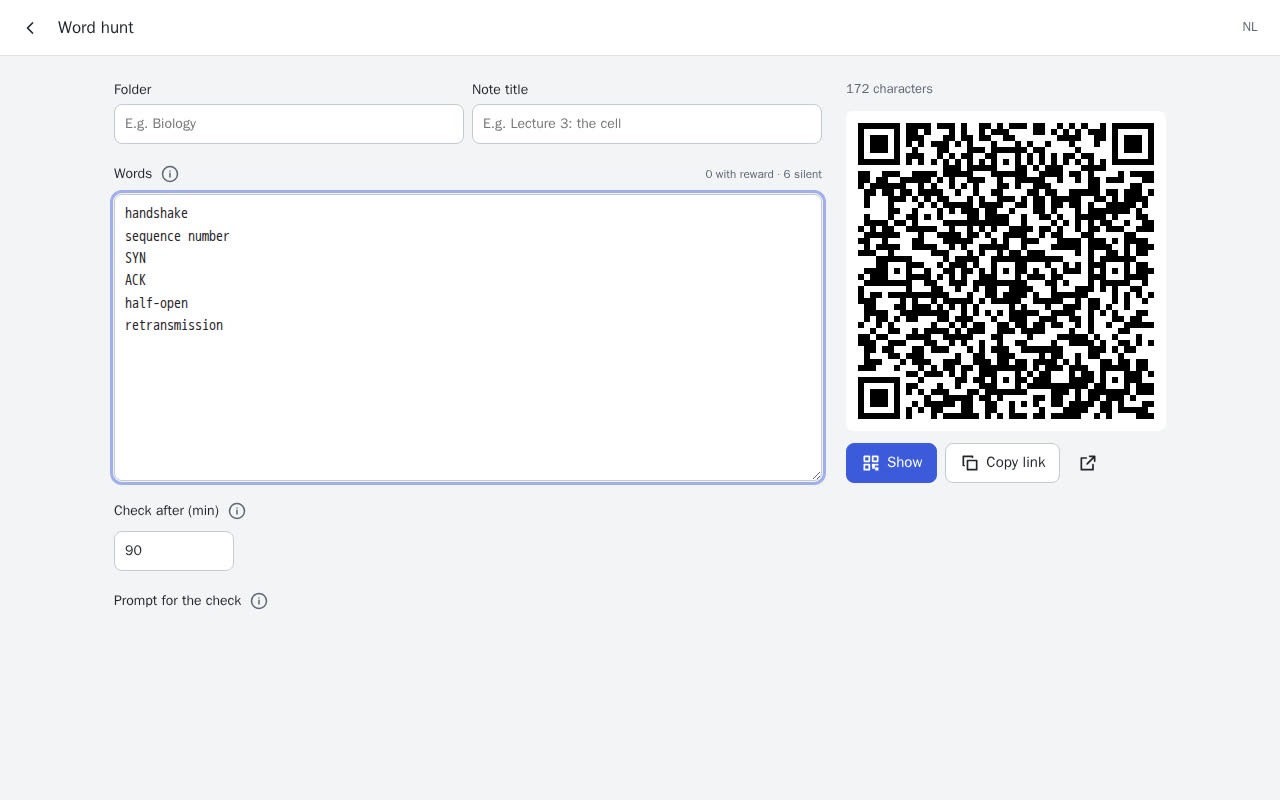
Making a word hunt: a QR code and a time lock -
20 October
A Markdown method
For the students who just want to type: Mermaid, admonitions, maths, pasted images, a backup of everything as a zip.
-
25 October
Questions first
A rough feature list, turned into tags, a checklist method, teacher links with templates, dark mode and GitLab sync.
Here's a rough featurelist I want to implement. Please help me make this more elaborate by asking questions
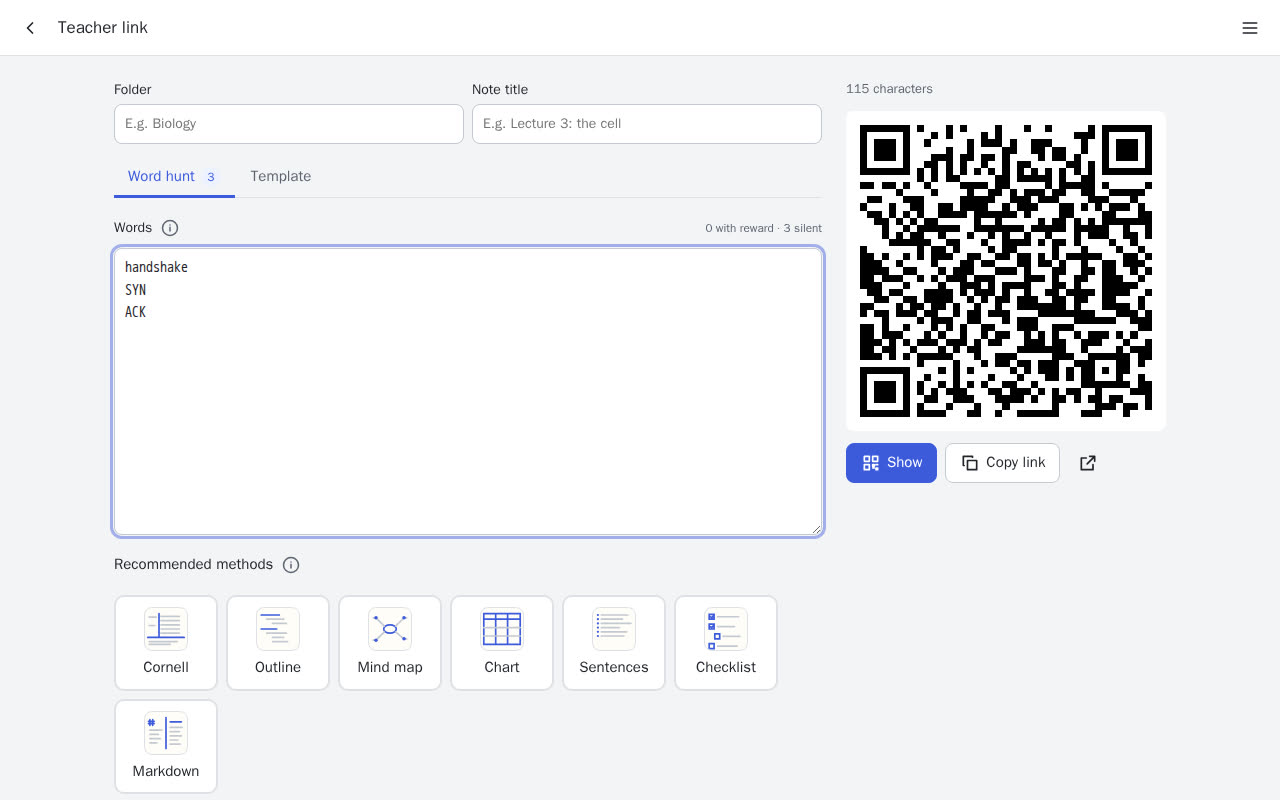
Teacher links with recommended methods -
28–29 October
Forms
Any Markdown note can become a form: fields, dates, lists, sliders and text boxes, a PDF with formulas and diagrams, and a help page.
A {{ variable }} field in a markdown document (in the markdown editor) creates a text field in the preview window. Users cvan fill out the form in the preview window. Filled out forms can be finalized and saved under a different name, after which the form resets so it can be reused.
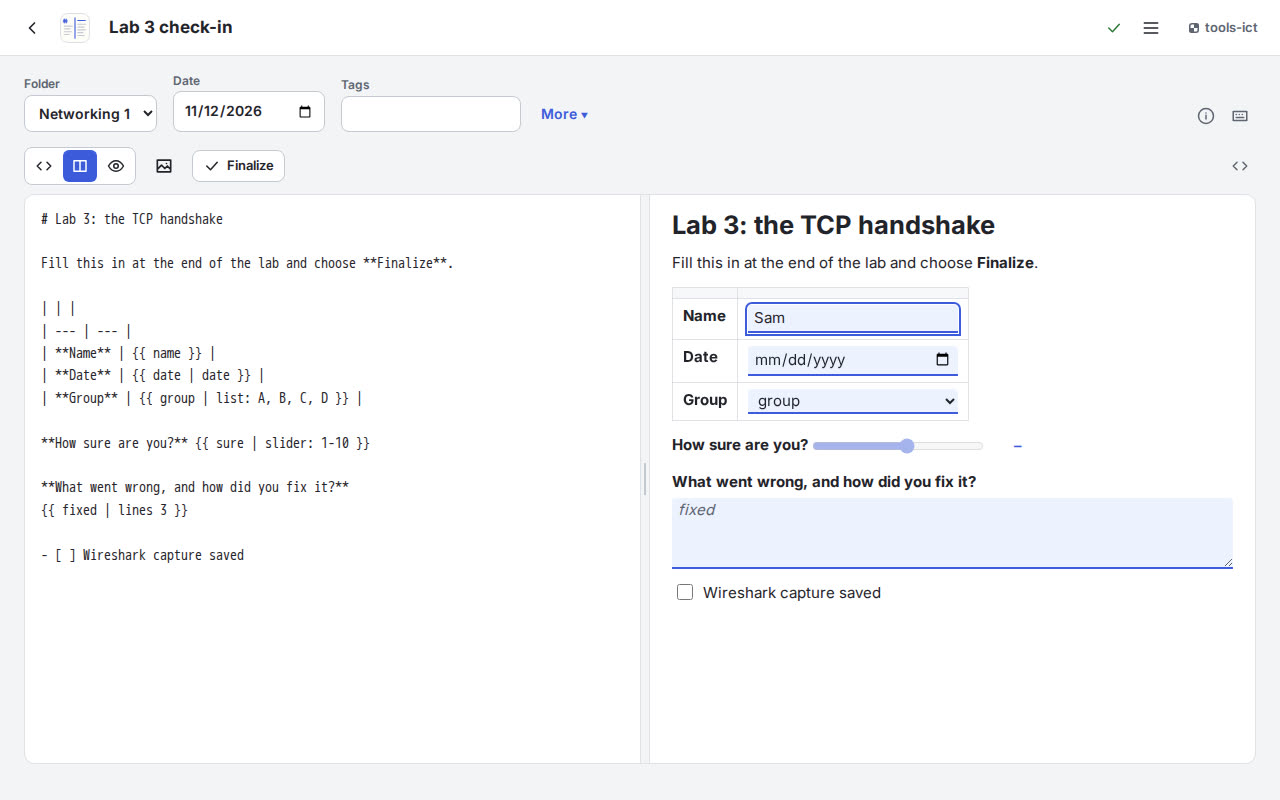
A Markdown form, filled in beside its source -
4–5 November
Into the shared garden
noted moved onto the tools-ict design system and its shared packages, and dropped its own workarounds.
-
12–13 November
Sharing, rethought
Share any note as a link and QR code, open it in the right layout, and deal with people who re-share the wrong link.
Make it so I can "share" any note, therefore generating a link and a qr code I can share.
Recipients of a shared link often re-share them by copy-pasting the url, but the url is an identifier of the instance of the resource. What could help to prevent this issue?
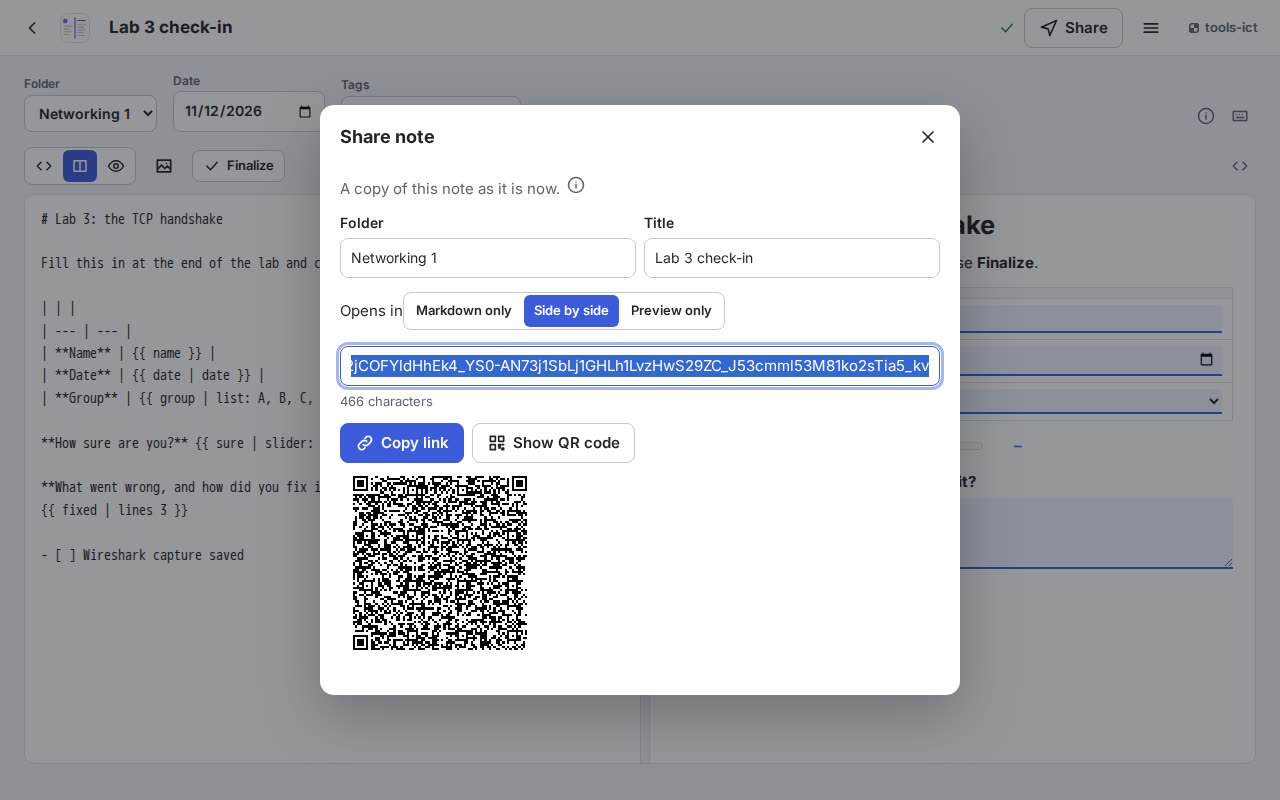
Today: share any note with a link and a QR code -
15 November
Found while filming
Making the film for this talk showed that a shared form arrives with its boxes still ticked. It went onto the issue list.
Tending for quality
No backend, on purpose
Notes never leave the device. Sharing goes in the link itself; GitLab sync uses the student's own token.
Plan mode for the big ones
The app, the word hunt and the re-share problem each started as a plan to argue with.
Feedback from class
Less text, louder rewards, a time lock against copying the words into an LLM.
One design system
Built on the shared tools-ict packages, so it looks and behaves like its neighbours.
CI on every push
Lint, tests and the GitLab Pages deploy run in the pipeline; I check it passed before calling something done.
Write down what you find
Bugs found along the way become issues, not memories.